
Easy Net Switch
6.7.0
Size: 1.49 MB
Downloads: 5177
Platform: Windows (All Versions)

Let's suppose that you take your notebook computer to work every day. Using your computer at home and at work means that it will connect to two different networks and Internet providers. This may require adjusting your network settings over and over again, which can become frustrating over time. It would have been better if you had a program that could do this for you. This is now possible thanks to the Easy Net Switch application. The name of the program clearly states its main functionality, which is to change network settings on the fly, by a click of a button. This will save you a lot of time and effort.
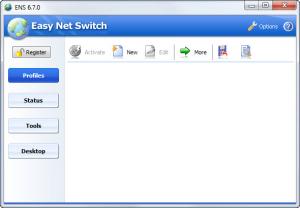
The application is very simple to install and doesn't require special skills for using it. After running the program, the user will be presented with a graphical interface which features several buttons and tabs, the first allowing one to create different network profiles. Creating a profile is very simple, as all that's required is to enter its name and a date of creation. Besides that, the user can configure different network settings, like the IP, DNS address or gateway and even change the MAC address of his network card.
The program allows creating an unlimited number of network profiles, each having its own settings. Activating any of them can be done by a single mouse click. Besides creating profiles, Easy Net Switch can also display the current status of the network connection, allowing the user to see what network profile is currently used. There are also a couple of extra tools available, which are ping and traceroute, allowing the user to check the connectivity and availability of a network computer or website.
Users can configure the program to display a transparent balloon on the desktop, showing the current network settings, like the IP address, gateway and so on. This balloon can be placed anywhere on the screen and its transparency can be adjusted.
Pros
It allows changing network settings with a single click, using different profiles. Besides that, it can display the current status of the network connection. What's more, it includes some extra tools, for checking the availability of a network computer or website.

Cons
Certain users who aren't familiar with network settings may have trouble using the program at first. Easy Net Switch allows you to easily change network connections using a single click.

Easy Net Switch
6.7.0
Download
Easy Net Switch Awards

Easy Net Switch Editor’s Review Rating
Easy Net Switch has been reviewed by Jerome Johnston on 10 May 2012. Based on the user interface, features and complexity, Findmysoft has rated Easy Net Switch 4 out of 5 stars, naming it Excellent







